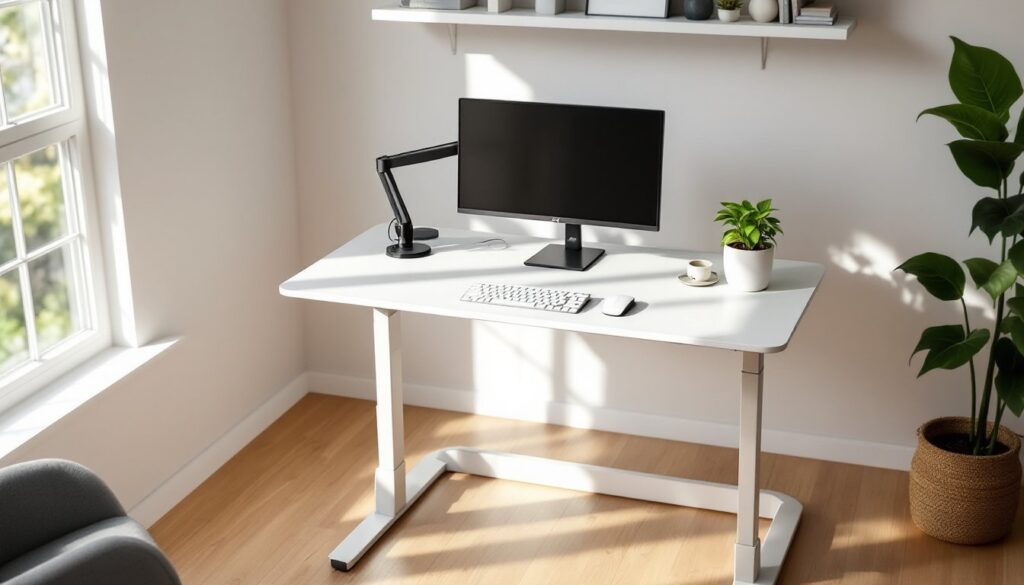
A white standing desk can anchor a home office with clean lines while supporting better posture and movement throughout the workday. Whether you’re converting a spare bedroom into a workspace or upgrading an existing setup, a white desk offers versatility that complements nearly any decor style, from minimalist Scandinavian to farmhouse chic. This guide walks through selecting, installing, and styling a white standing desk that fits your space and workflow without the guesswork.
Table of Contents
ToggleKey Takeaways
- A white standing desk reflects natural light, making smaller home offices feel more open while supporting better posture and reducing lower back strain through alternating sitting and standing positions every 30–60 minutes.
- Dual-motor electric systems with at least 150 pounds weight capacity and a height range of 28–48 inches are ideal for most home office setups, though manual and pneumatic options work for lighter, stationary workloads.
- Desktop depth of at least 30 inches, quality edge banding, and cable management features keep your workspace functional and clutter-free without requiring separate shelving or filing solutions.
- Proper installation requires leveling the white standing desk frame before use and securing it to wall studs if your desk is taller or on unstable flooring to prevent tipping hazards.
- A white standing desk pairs seamlessly with minimalist, farmhouse, industrial, or eclectic décor styles when styled with coordinating lighting, accessories, and monitor positioning at or slightly below eye level to reduce neck strain.
Why Choose a White Standing Desk for Your Home Office
White finishes reflect natural light, making smaller offices feel more open and less cluttered. This matters in rooms with limited window space or north-facing exposure where you’re working with softer ambient light.
From a health standpoint, standing desks encourage alternating between sitting and standing positions, which can reduce lower back strain and improve circulation during long work sessions. Studies show that users who alternate positions every 30–60 minutes report less fatigue than those who sit all day.
White desks also hide scratches and scuffs better than darker finishes, especially in high-traffic home environments where kids, pets, or frequent project work can ding surfaces. A white laminate or powder-coated steel frame won’t show fingerprints the way black or dark wood does.
For resale value, white furniture reads as neutral and move-in ready. If you’re staging a home office for a listing, a white standing desk signals a modern, flexible workspace without committing to a specific aesthetic.
A white standing desk with drawers adds built-in storage for cables, notepads, and office supplies, keeping the desktop clear and reducing the need for separate filing cabinets or shelving units. This is particularly useful in compact rooms where floor space is at a premium.
Key Features to Look for in a White Standing Desk
Not all standing desks are built to the same spec. Here’s what separates a solid investment from a wobbly regret.
Height Adjustment Mechanisms
Electric motor systems are the most common and user-friendly. Look for dual-motor setups rather than single-motor units, dual motors lift heavier loads (think dual monitors, desktop PC, and a lamp) more smoothly and with less wobble. Weight capacity should be at least 150 pounds for a typical home office setup.
Height range matters. Standard desks adjust from about 28 to 48 inches, which accommodates users from roughly 5’0″ to 6’5″. If you’re taller than 6’5″ or shorter than 5’0″, verify the low and high limits before buying.
Manual crank systems cost less, usually $200–$400 versus $400–$800 for electric models, but require more effort to adjust. If you plan to switch positions multiple times per day, the crank becomes tedious. Manual makes sense if you’ll set it once in the morning and leave it.
Pneumatic (gas spring) adjustments sit between manual and electric in price and convenience. They’re quieter than motors and don’t require power outlets, but lifting capacity maxes out around 30–50 pounds, so they’re best for laptop-only setups.
Stability is non-negotiable. When fully extended, the desktop should not sway more than 1/4 inch side to side under normal typing pressure. Steel frames outperform aluminum in rigidity, though they add weight if you ever need to move the desk.
Desktop Size and Material Quality
Desktop dimensions start around 48 x 24 inches for compact spaces and scale up to 72 x 30 inches or wider for multi-monitor arrays. Depth is critical, 24 inches is tight if you use an external keyboard and want space for notes or a coffee mug. 30-inch depth gives comfortable breathing room.
Laminate-covered MDF or particleboard is the budget standard. It’s lightweight and easy to wipe down, but edges can chip if you knock them with chair arms or storage bins. Look for 3mm PVC edge banding on all four sides to prevent moisture infiltration and delamination.
Solid wood tops (maple, oak, birch) add durability and aesthetic warmth but require periodic conditioning with mineral oil or furniture wax to prevent drying and cracking in low-humidity climates. Expect to pay 30–50% more than laminate.
Bamboo splits the difference, it’s harder than most softwoods, resists moisture better than MDF, and costs less than hardwood. The grain pattern is more uniform than oak, which reads as either minimalist or bland depending on your taste.
White finishes come in matte, semi-gloss, and high-gloss. Matte hides smudges and gives a softer look under task lighting. High-gloss reflects more light but shows every fingerprint and coffee ring. Semi-gloss is the practical middle ground.
Cable management features, grommets, under-desk trays, or integrated channels, keep power cords and USB cables out of sight. Without them, you’ll end up with a rat’s nest of cables pooling behind the desk.
Setting Up Your White Standing Desk: A DIY Installation Guide
Most standing desks ship flat-packed and require 30–90 minutes of assembly. Here’s how to do it without stripping screws or ending up with leftover hardware.
Tools you’ll need:
- Phillips-head screwdriver or drill with Phillips bit
- Allen wrench set (usually included, but a ratcheting set speeds things up)
- Tape measure
- Level (4-foot or laser level)
- Safety glasses (metal frames have sharp edges during assembly)
Materials checklist:
- Desk frame and legs (pre-packaged)
- Desktop surface
- Motor control box and power cable (for electric models)
- Mounting screws and bolts (sorted by size in labeled bags)
- Cable management clips or trays (if included)
Step-by-step installation:
-
Clear the workspace. You need roughly 8 x 6 feet of floor space to lay out parts without tripping over boxes. Unpack everything and verify all components against the parts list before starting.
-
Assemble the frame upside down. Flip the desktop over on a clean surface (old blanket or cardboard to prevent scratches). Attach the legs to the crossbars using the pre-drilled holes and included bolts. Hand-tighten first, then snug with the Allen wrench, over-torquing can strip threads in the frame.
-
Mount the motor and control box. Electric models have a motor housing that bolts to the underside of the desktop. Route the cable to the control box following the manufacturer’s diagram. Zip-tie excess cable to the frame so it doesn’t hang below the desktop when raised. For woodworking enthusiasts who prefer custom builds, there are DIY plans that use manual cranks or fixed heights.
-
Attach the desktop to the frame. Most frames use 8–12 screws spaced evenly across mounting plates. Use the included screws, they’re sized for the pilot holes. If your desktop doesn’t have pre-drilled holes, measure carefully and drill pilot holes with a 3/32-inch bit to prevent splitting.
-
Level the desk before flipping it. With the desk still upside down, extend the legs to mid-height and place a level across the underside. Adjust the feet (most have threaded leveling pads) until the bubble centers. This prevents the desk from rocking when you type.
-
Flip and test the range of motion. Get a second person to help flip the desk right-side up, even a 48-inch laminate top can weigh 40–60 pounds with the frame attached. Plug in the motor, cycle through the full height range, and listen for grinding or binding. If the desk wobbles at full extension, tighten the crossbar bolts another quarter turn.
-
Secure to the wall if needed. On carpet or uneven floors, taller standing desks can tip forward if you lean heavily on the front edge. Use an L-bracket screwed into a wall stud (not just drywall anchors) to prevent tipping. This is especially important in homes with small children.
Electrical considerations: Electric desks draw 1–2 amps under load, so a standard 15-amp household circuit is fine. Plug directly into a wall outlet rather than a power strip already loaded with a PC, printer, and monitor, motor startup can trip overloaded strips.
Permit check: Desk installation doesn’t require permits, but if you’re hardwiring a dedicated outlet or running new circuits, that’s electrical work that may need inspection depending on local codes. For most users, a standard three-prong plug is all that’s needed.
Styling Your White Standing Desk to Match Your Home Decor
A white desk is a blank canvas that adapts to nearly any design direction with the right accents and layout.
Minimalist approach: Keep the desktop clear except for a monitor, keyboard, and one task light. Use a matte black or brushed aluminum monitor arm to lift screens off the surface and free up workspace. Cable clips mounted to the underside keep power cords invisible. A single plant, pothos or snake plant, in a white or concrete pot adds life without clutter. For additional project ideas and furniture building tutorials, there are resources that pair well with DIY desk projects.
Farmhouse or cottage style: Pair the white desk with warm wood accents, a reclaimed wood shelf above the desk, a wooden desk organizer, or a jute desk pad. Swap the standard black office chair for a Windsor-style wooden chair or a rattan seat. A ceramic or terracotta planter and linen cable organizers soften the modern desk frame.
Industrial edge: Combine the white top with black steel accents. Use a black gooseneck lamp, metal mesh organizers, and a dark gray chair. Exposed Edison bulbs in a pendant light overhead tie the look together. This works especially well if the desk frame is already powder-coated black or gunmetal.
Color pop strategy: Use the white desk as a neutral backdrop for bold accessories, a bright yellow desk lamp, coral file folders, or a patterned mouse pad. Swap accessories seasonally to refresh the space without buying new furniture.
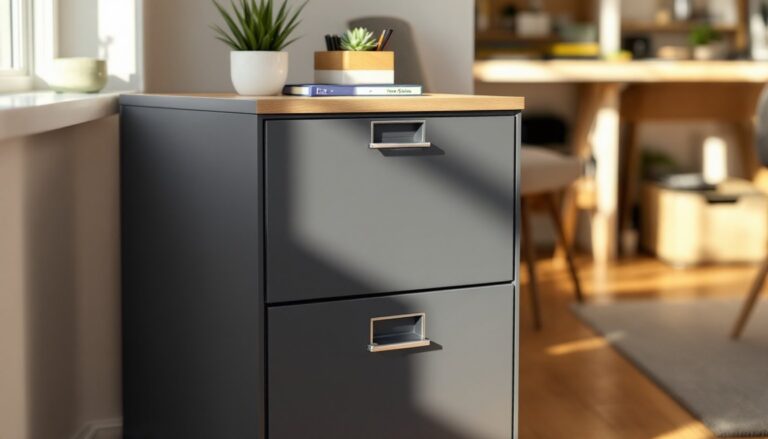
Storage integration: Floating shelves mounted above the desk keep reference books and supplies within reach without eating into floor space. A pegboard panel on the adjacent wall holds headphones, charging cables, and small tools. Under-desk file cabinets on casters provide mobile storage that doesn’t require wall mounting.
Lighting layering: A white desk reflects task lighting efficiently, but avoid positioning a bright lamp directly in your line of sight to the monitor, glare reduces screen contrast and causes eye strain. Use a swing-arm lamp positioned to the side or an overhead pendant centered above the desk. For reading physical documents, 500–750 lumens at desk height is comfortable.
Rug anchoring: On hard floors, a 5 x 7-foot rug under the desk and chair defines the workspace and reduces echo in rooms with high ceilings. Natural fiber rugs (jute, sisal) add texture: low-pile synthetic rugs make rolling chairs easier.
Monitor height matters: Whether sitting or standing, the top of your monitor should be at or slightly below eye level to prevent neck strain. A monitor arm with height adjustment syncs with your desk’s range of motion. If you’re using a laptop, a separate keyboard and laptop stand brings the screen to proper height without hunching.
Conclusion
A white standing desk delivers functional flexibility and visual neutrality that works across design styles and room sizes. Focus on frame stability, motor quality, and desktop durability when shopping, and don’t skip the leveling step during installation. With the right setup and styling, it becomes the anchor of a home office that supports both productivity and comfort for years of daily use.