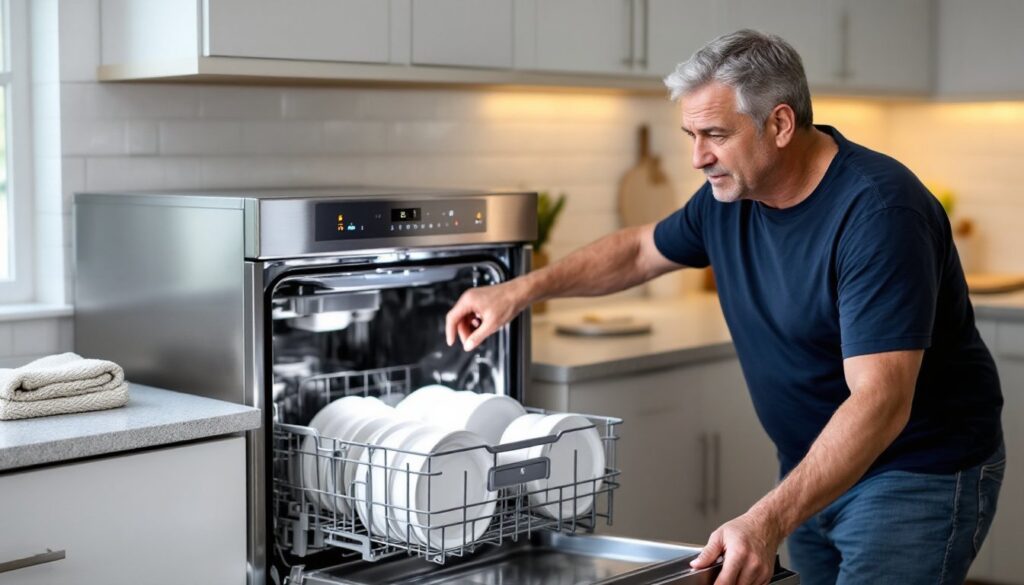
When your Whirlpool dishwasher stops mid-cycle, flashes error codes, or refuses to drain, the solution might be simpler than you think. Before calling a repair tech or searching for replacement parts, a reset can often clear software glitches and restore normal operation. Most dishwasher resets take less than five minutes and require no tools, just a few button presses or a quick power interruption. This guide walks through three proven methods for how to reset a Whirlpool dishwasher, what to do when resets don’t solve the problem, and how to prevent future issues. Whether you’re dealing with a blinking control panel or a dishwasher that won’t start, these steps will help you troubleshoot like a pro.
Table of Contents
ToggleKey Takeaways
- Resetting a Whirlpool dishwasher can clear software glitches like blinking lights, error codes, and unresponsive buttons without requiring professional repair.
- The fastest reset method is power cycling your dishwasher by switching off the breaker for 5 minutes or unplugging the unit, which allows the control board to fully discharge.
- If power cycling fails, try a control panel reset by holding the Start/Cancel button for 3–5 seconds or using the button sequence method (Heated Dry, Normal, Heated Dry, Normal) to enter diagnostic mode.
- Common hardware issues like a faulty door latch, clogged filter, or blocked drain pump may require professional attention if reset methods don’t restore function.
- Regular monthly maintenance—including filter cleaning, drain hose inspection, and gasket wiping—prevents most dishwasher errors and eliminates the need for frequent resets.
Why You Might Need to Reset Your Whirlpool Dishwasher
Dishwashers run on control boards that occasionally hiccup, power surges, interrupted cycles, or sensor errors can freeze the system. A reset clears the board’s memory and returns settings to default, much like rebooting a computer.
Common symptoms that signal a reset is needed:
- Blinking or flashing lights on the control panel that won’t stop
- Error codes appearing on the display (check your owner’s manual for specific codes)
- The dishwasher won’t start, even when the door is latched and power is on
- The cycle stops mid-wash and won’t resume
- Buttons don’t respond when pressed
- The dishwasher won’t drain or advance to the next cycle phase
These issues are often temporary software glitches rather than mechanical failures. A Whirlpool dishwasher reset sequence can restore function without any disassembly or part replacement. If the problem persists after multiple resets, the control board, door latch, or drain pump may need professional attention, but always start with the simplest fix first.
The Quick Reset Method: Power Cycling Your Dishwasher
The fastest way to reset any dishwasher is to interrupt its power supply. This method works for most temporary errors and is the first step many appliance techs recommend.
Step-by-step power cycle reset:
- Locate the circuit breaker for your dishwasher in your home’s electrical panel. Most dishwashers run on a dedicated 15-amp or 20-amp breaker. If you’re unsure which breaker controls the dishwasher, check the panel labels or turn off breakers one at a time until the dishwasher’s display goes dark.
- Flip the breaker to the OFF position. Wait a full 5 minutes, not just 30 seconds. This allows capacitors on the control board to fully discharge.
- Turn the breaker back to the ON position. The dishwasher’s display should light up or reset to standby mode.
- Test the dishwasher by selecting a short cycle (rinse or quick wash) and pressing Start.
If your dishwasher is plugged into an outlet rather than hardwired, you can unplug it for 5 minutes instead of using the breaker. Check behind or beneath the unit, some models have a standard 120V plug accessible from the front kick plate.
Safety note: Never attempt to access wiring inside the dishwasher while power is on. Always use the breaker or unplug the unit before any internal work.
How to Perform a Control Panel Reset
If power cycling doesn’t resolve the issue, a control panel reset targets the user interface specifically. This method is useful when buttons are unresponsive or the display shows persistent error codes.
Control panel reset procedure:
- Open the dishwasher door fully. This disengages the door latch sensor.
- Press and hold the Start/Cancel button (sometimes labeled Cancel or Cancel/Drain) for 3 to 5 seconds. On some Whirlpool models, you’ll hear a beep or see the lights blink to confirm the reset.
- Wait for the dishwasher to drain if it was mid-cycle. This can take 1 to 2 minutes. The drain pump will run until the tub is empty.
- Close the door and select a new cycle. Press Start to test.
If the Start/Cancel button doesn’t respond, try pressing Heated Dry followed by Normal four times in quick succession. This is an alternate reset code for some Whirlpool models, though button combinations vary by year and series. Check your owner’s manual for model-specific instructions, most are available as PDFs on the Whirlpool support site.
This reset won’t erase saved settings like preferred cycle options, but it will clear active error codes and interrupt stuck routines.
Resetting Your Whirlpool Dishwasher Using the Button Sequence Method
Many Whirlpool dishwashers have a built-in diagnostic reset accessible through a specific button sequence. This Whirlpool dishwasher reset sequence initiates a self-test mode that can clear faults and recalibrate sensors.
Button sequence reset (common on Whirlpool models 2010–present):
- Make sure the dishwasher door is closed and the unit is in standby mode (not running a cycle).
- Press the following buttons in order: Heated Dry, Normal, Heated Dry, Normal. Press each button once, waiting about 1 second between presses. Some models use High Temp Wash instead of Heated Dry, consult your manual if this sequence doesn’t work.
- Watch the control panel. If successful, the lights will cycle through a sequence or the display will show “0” or “00.” This indicates the dishwasher has entered diagnostic mode.
- Press Start/Cancel to exit diagnostic mode and return to normal operation. The dishwasher should now respond to commands.
If the sequence doesn’t trigger diagnostic mode, your model may use a different code. Older Whirlpool models (pre-2010) sometimes require pressing High Temp, Normal, High Temp, Normal instead. Button sequences are model-specific, so if you’re unsure, cross-reference your model number (found on the interior door edge) with Family Handyman troubleshooting guides or the manufacturer’s documentation.
Note: Entering diagnostic mode won’t damage the dishwasher, but avoid running a full cycle while in this mode, it’s designed for testing individual components, not regular use.
What to Do If the Reset Doesn’t Work
If you’ve tried all three reset methods and the dishwasher still won’t operate, the issue is likely hardware-related rather than a software glitch. Here’s how to troubleshoot further.
Check the door latch and sensor. The dishwasher won’t start if the door latch assembly is broken or misaligned. Open and close the door firmly, listen for a distinct click. If the latch feels loose or doesn’t engage, it may need replacement. This is a common DIY fix: replacement latches cost $20–$50 and install with two screws.
Inspect the drain pump and filter. A clogged filter or jammed pump can prevent the dishwasher from advancing cycles. Remove the bottom rack and unscrew the cylindrical filter assembly (usually a quarter-turn counterclockwise). Rinse it under hot water and check the sump area beneath for debris, chicken bones, bottle caps, and shards of broken glass are frequent culprits. If water remains in the tub after a reset, the drain pump may be faulty. Addressing drainage problems often involves inspecting the pump impeller for blockages or replacing the pump motor.
Test the control board. If the display is completely dead after a power cycle, the main control board may have failed. This isn’t a beginner-level repair, control boards cost $150–$300 and require disconnecting multiple wire harnesses. Most homeowners call a tech for this repair unless they have appliance wiring experience.
Check for recalled parts. Whirlpool has issued recalls on certain dishwasher models for control board and wiring harness defects. Enter your model number on the Whirlpool recall site to see if your unit qualifies for a free repair.
When to call a professional: If you’ve ruled out simple fixes and the dishwasher still malfunctions, a qualified appliance tech can diagnose sensor faults, wiring issues, or motor failures. Expect service call fees of $75–$150, plus parts and labor. For dishwashers older than 8–10 years, weigh repair costs against replacement, modern units are significantly more energy-efficient.
Preventing Future Dishwasher Issues
Regular maintenance reduces the need for resets and extends your dishwasher’s lifespan. Most preventive steps take less than 10 minutes per month.
Monthly maintenance checklist:
- Clean the filter every 2–4 weeks. Food particles and grease buildup restrict water flow and strain the pump. Remove, rinse, and reinstall the filter, it’s the single most important maintenance task.
- Wipe down the door gasket. Mold and debris on the rubber seal can prevent a proper seal and trigger door latch errors. Use a damp cloth with a bit of dish soap, then dry thoroughly.
- Run a cleaning cycle with dishwasher cleaner. Products like Affresh or Finish Dishwasher Cleaner dissolve mineral deposits and grease in the spray arms and sump. Run an empty cycle with the cleaner once a month if you have hard water.
- Inspect spray arms for clogs. Remove the upper and lower spray arms (they typically pull or twist off) and check the nozzles. Use a toothpick to clear any blockages.
- Check the drain hose. If your dishwasher drains slowly, the hose may be kinked or clogged. The drain hose connects under the sink, make sure it has a high loop or air gap to prevent backflow.
Use the right detergent and rinse aid. Overloading detergent creates excess suds that can confuse sensors and cause cycle errors. Follow the manufacturer’s dosing guidelines, usually 1 tablespoon for soft water, 2 tablespoons for hard water. Rinse aid improves drying and prevents mineral buildup on the heating element.
Avoid overloading. Blocking the spray arms or door latch with oversized pots can interrupt cycles and trigger errors. Load dishes according to the rack guides, and don’t force items that don’t fit.
Protect against power surges. Consider installing a whole-house surge protector or a point-of-use surge outlet for the dishwasher. Power spikes from lightning or grid fluctuations are a leading cause of control board failures. For more on electrical safety in home appliances, Popular Mechanics offers detailed guides on surge protection and circuit maintenance.
Conclusion
Resetting a Whirlpool dishwasher is a straightforward troubleshooting step that resolves most temporary errors without tools or technical expertise. Start with a power cycle, move to control panel resets, and try the button sequence method if needed. If resets don’t solve the problem, inspect the door latch, filter, and drain system before calling a pro. With regular filter cleaning, proper loading, and routine maintenance, you’ll minimize errors and keep your dishwasher running smoothly for years.