Keeping floors clean in a busy household can feel like a never-ending chore, especially when you’re juggling renovations, yard work, and weekend projects. Robot vacuums have come a long way from their clunky beginnings, and Eufy has carved out a reputation for delivering solid performance without the premium price tag you’d see on competitors like iRobot’s Roomba. These compact machines handle daily maintenance on hardwood, tile, and low-pile carpet, freeing up time for the projects that actually matter. This guide walks through what makes Eufy worth considering, which models fit different home layouts, and how to get the most out of your investment.
Table of Contents
ToggleKey Takeaways
- Eufy robot vacuums deliver reliable daily cleaning at a fraction of the cost of premium brands like Roomba, with most models ranging from $250 to $600.
- Battery life of 100–150 minutes covers 1,500–2,000 square feet per charge, and models automatically return to the dock and resume cleaning if the job isn’t finished.
- Choose a Eufy robot vacuum based on floor type and square footage: random-navigation models work for homes under 1,000 square feet, while smart mapping is essential for larger or complex layouts.
- The X10 Pro Omni flagship offers 8,000Pa suction and self-emptying capability for multi-level homes, while the budget-friendly RoboVac 11S Max delivers solid performance for small spaces at $250.
- Regular maintenance—including weekly brush checks, bi-weekly filter rinsing, and monthly dust bin emptying—keeps your Eufy vacuum operating at peak performance for years.
- BoostIQ Technology automatically adjusts suction power on different floor types, and drop-sensing technology prevents the vacuum from falling down stairs or off raised platforms.
Why Eufy Robot Vacuums Are a Homeowner’s Best Friend
Eufy robot vacuums hit the sweet spot for homeowners who want automation without overspending. Unlike premium brands that can run $800 to $1,200, most Eufy models range from $250 to $600, making them accessible for households tackling multiple improvement projects at once. They’re particularly useful during renovations, drywall dust, sawdust from trim work, and tracked-in dirt from exterior jobs pile up fast, and a robot vacuum can handle the daily cleanup while you focus on the build.
These units are designed to work independently. Set a schedule through the EufyHome app, and the vacuum runs while you’re at work or asleep. Battery life typically ranges from 100 to 150 minutes per charge, enough to cover 1,500 to 2,000 square feet in one pass. They automatically return to the charging dock when low, then resume cleaning if the job isn’t finished.
Eufy vacuums handle common household debris well: pet hair, crumbs, dust bunnies, and light grit. They won’t replace a deep clean with a shop vac after demo work, but they’ll keep everyday mess under control. For homes with pets or kids tracking in dirt, that daily maintenance prevents buildup and reduces how often you need to pull out the upright vacuum.
Top Eufy Robot Vacuum Models to Consider for Your Home
Choosing the right model depends on floor type, square footage, and whether you need mopping capability. Here are the standouts for 2026:
Eufy X10 Pro Omni is the flagship hybrid. It features 8,000Pa suction, which ranks among the most powerful robot vacuums available today. The self-emptying dock holds up to 60 days of debris, and the built-in mop function handles light spills on tile or sealed hardwood. Retail price hovers around $550 to $600, varying by region and seasonal sales. It’s overkill for small apartments but ideal for multi-level homes or open floor plans with mixed flooring.
Eufy RoboVac 11S Max is the budget pick. At roughly $250, it delivers 2,000Pa suction and runs quietly, around 55 decibels, quieter than a standard conversation. It lacks smart mapping, relying instead on bounce navigation (it changes direction when it hits an obstacle). That works fine for single rooms or smaller homes under 1,000 square feet, but it’s less efficient in complex layouts with multiple doorways.
Eufy RoboVac G30 strikes a middle ground. It includes Smart Dynamic Navigation 2.0, which builds a map of your home for more efficient cleaning paths. Suction sits at 2,000Pa, and it integrates with Alexa and Google Assistant for voice control. Price typically lands between $300 and $350. It’s a solid pick for ranch-style homes or finished basements where you want scheduled cleaning without manual intervention.
For comparison, iRobot’s Roomba models often cost 30-50% more for similar suction specs, though Roomba’s obstacle avoidance and app features are more refined. Eufy competes by delivering core functionality at a lower price point.
Key Features That Set Eufy Apart from the Competition
Eufy vacuums focus on practical features rather than gimmicks. BoostIQ Technology automatically increases suction when the vacuum detects carpet or thick rugs, then drops back to standard power on hard floors to conserve battery. This happens in real time without manual adjustments.
Most models use a three-brush system: a rolling brush for agitation, side brushes to sweep debris from edges and corners, and a suction inlet. The dust bin is typically 0.6 liters, which is standard for the category. You’ll need to empty it every 3-5 cleaning cycles unless you opt for a self-emptying dock model like the X10 Pro Omni.
Drop-sensing technology prevents falls down stairs or off raised platforms. Infrared sensors detect edges and reverse direction before the vacuum tips over. This is critical if you have split-level floors or a sunken living room.
Boundary strips (included with higher-end models) let you block off areas without using the app. Lay down a magnetic strip in front of pet food bowls, delicate furniture legs, or open workshop areas where you don’t want the vacuum wandering. It’s a low-tech solution that works reliably.
Smart Navigation and Mapping Technology
Smart Dynamic Navigation uses gyroscopes and motion tracking to map your home during the first few cleaning cycles. The vacuum divides the floor plan into zones, then cleans in a back-and-forth pattern rather than random bouncing. You can view the map in the EufyHome app, label rooms (kitchen, hallway, bedroom), and set virtual boundaries or no-go zones.
This matters for complex layouts. If you’re renovating and have tarps, tools, or lumber staged in one room, you can mark that area as off-limits until the project wraps. The vacuum will skip it and focus on accessible spaces.
Laser-based navigation, found on the X10 Pro Omni, is more precise than gyro-based systems. It uses LiDAR (Light Detection and Ranging) to measure distances and build detailed floor maps, even in low light. Independent testing of the X10 Pro Omni highlights its obstacle avoidance and mapping accuracy, though occasional hiccups with dark furniture or reflective surfaces can occur.
Wi-Fi connectivity lets you start, stop, or schedule cleaning from anywhere. If you’re picking up materials at the hardware store and remember you forgot to run the vacuum, pull out your phone and start it remotely. The app also tracks cleaning history, filter life, and brush wear, sending reminders when maintenance is due.
How to Choose the Right Eufy Robot Vacuum for Your Space
Start with floor type. If you have mostly hardwood or tile, a lower-suction model (2,000Pa) handles dust and light debris without issue. For homes with medium-pile carpet or area rugs, step up to 4,000Pa or higher. Thick shag rugs or high-pile carpet will bog down most robot vacuums, you’ll still need an upright for those.
Square footage matters. Models with random navigation (like the 11S Max) cover about 600-800 square feet efficiently. Beyond that, they waste battery retracing the same spots. For homes over 1,200 square feet, choose a model with smart mapping to optimize cleaning routes.
Consider clearance height. Most Eufy vacuums measure 2.85 to 3.5 inches tall. They’ll fit under standard couches and beds (which typically sit 4-6 inches off the floor) but won’t clear low-profile platform beds or custom cabinetry with less than 3 inches of toe kick space. Measure before you buy.
Pet owners should prioritize models with tangle-free rollers and larger dust bins. The X10 Pro Omni’s self-emptying dock is worth the investment if you have multiple shedding pets, it reduces how often you handle fur-clogged bins.
If you’re running a lot of power tools or have an open workshop in the garage, look for models with dirt detection sensors. When the vacuum encounters concentrated debris (like sawdust piles), it automatically does a second pass over that area. Not all Eufy models include this, so check specs carefully.
Budget-conscious buyers can skip mopping features if floors are sealed hardwood or laminate. A microfiber mop pad on a robot vacuum works for light dust but won’t scrub stuck-on grime. Save money and stick to vacuum-only models unless you regularly deal with spills on tile.
Installation, Setup, and Maintenance Tips for Peak Performance
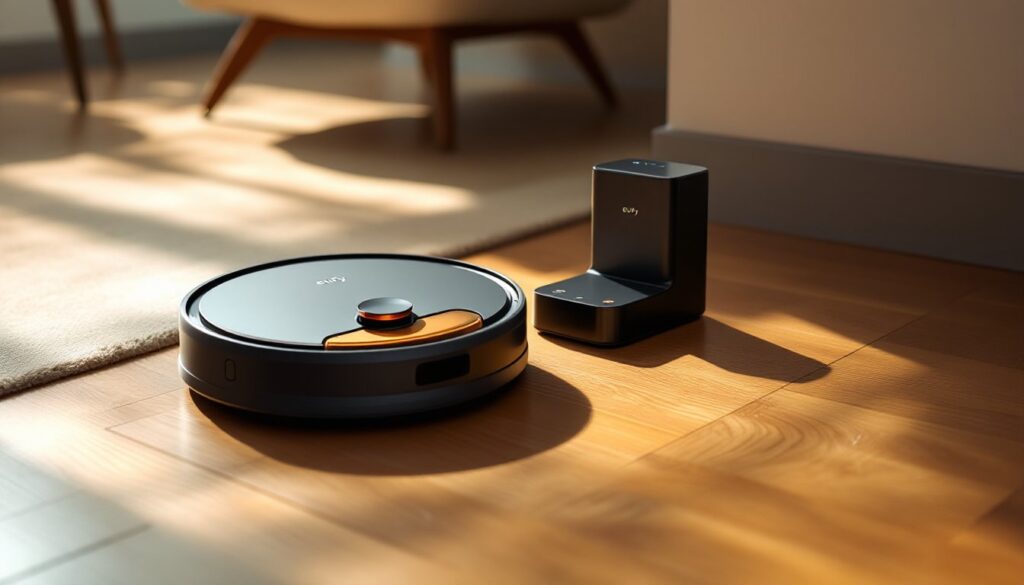
Unbox the unit, peel off protective films from sensors and charging contacts, then position the charging dock against a wall with at least 3 feet of clearance on each side. The vacuum uses the dock as a navigation landmark, so don’t tuck it into a tight corner or behind furniture.
Plug the dock into a standard 120V outlet. Avoid using extension cords, robot vacuums draw steady current, and cheaper extension cords can cause voltage drops that interfere with charging cycles.
Download the EufyHome app (iOS or Android), create an account, and follow the pairing prompts. You’ll connect the vacuum to your home Wi-Fi network (2.4GHz only, 5GHz isn’t supported). The first cleaning run will take longer as the vacuum maps your space. Let it finish uninterrupted for best results.
Before each cleaning cycle, do a quick floor sweep by hand or with a broom. Pick up charging cables, small toys, loose socks, and anything under 2 inches tall that could jam the brushes. Robot vacuums aren’t smart enough to avoid every obstacle, and tangled cables are the #1 cause of mid-cycle failures.
Filter maintenance is non-negotiable. Most Eufy models use washable filters that should be rinsed every 2 weeks and fully replaced every 6 months. Clogged filters cut suction by 30-40% and strain the motor. Replacement filter packs (usually sold in sets of 3-6) cost $15 to $25.
Check the rolling brush and side brushes weekly. Hair wraps around the axle, and if left unchecked, it’ll prevent the brush from spinning. Eufy includes a cleaning tool with a small blade, slide it along the brush to cut tangled hair, then pull it free. Replace brushes every 6-12 months depending on use.
Empty the dust bin after every cleaning cycle, even if it’s not full. Debris compacts over time, reducing airflow and making the vacuum work harder. For self-emptying models, replace the dock’s dust bag every 60-90 days.
Recalibrate the map if you rearrange furniture or finish a renovation that changes the floor plan. In the app, delete the old map and run a new mapping cycle. This prevents the vacuum from trying to navigate around obstacles that no longer exist or bumping into new furniture.
Battery care: Lithium-ion batteries last 18-24 months with proper use. Don’t let the vacuum sit on the dock for months without running it, discharge the battery to about 50% if you’re storing it long-term. Replacement batteries run $40 to $60 and require basic disassembly (four screws on the bottom panel). It’s a straightforward swap if you’re comfortable with a screwdriver.
Conclusion
Eufy robot vacuums deliver reliable daily cleaning without the premium price of a Roomba. They’re especially practical for homeowners managing ongoing projects, keeping floors clear of dust and debris while you focus on bigger tasks. Match the model to your floor type and square footage, stick to the maintenance schedule, and you’ll get years of hands-free upkeep.